
Answer
Jan 16, 2026 - 01:39 AM
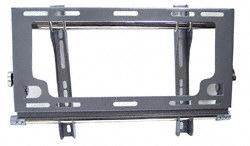
How to lift the TV off the MAF70 bracket
-
Unplug everything from the back of the TV (power, HDMI, coax, etc.). Have a second person hold the TV if it’s bigger than about 32 inch.
-
Look at the bottom edge of the TV bracket (left and right bottom corners).
Most of these Jensen RV mounts use two safety/locking screws (often Allen/hex set screws) that prevent the TV from lifting off while driving. -
Loosen the two bottom locking screws
-
You usually do not need to remove them completely—just back them out enough so the TV can tilt and lift.
This “two Allen screws at the bottom” setup is commonly reported on Jensen RV mounts.
-
-
Pull the bottom of the TV out (tilt out)
-
Once those locks are loose, the bottom will come away from the wall plate a bit.
-
-
Lift the TV straight UP
-
The top of the TV-side brackets are hooked over the wall plate. Lifting up unhooks it, then you can pull it away.
-




Add New Comment