Answers
Apr 22, 2020 - 09:00 AM
https://www.rvupgradestore.com/v/vspfiles/assets/pdf/93575_Manual.pdf
Feb 04, 2024 - 04:29 PM
Do you have the same question? Follow this Question
Apr 22, 2020 - 09:00 AM
Feb 04, 2024 - 04:29 PM
View all RV Interior Accessories Questions & Answers
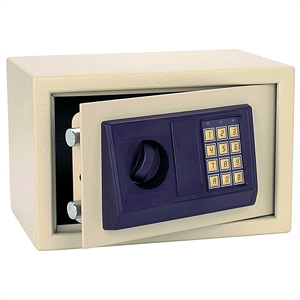
We’ve provided several answers to questions related to Bunker Hill Security 93575 Electronic Digital Safe , see some other helpful Q&A related to this product.
Question: how do i replace the batteries?
Answer: Red and green lights will illuminate on the control panel when the batteries are low. To replace the batteries, open the Safe and remove the Battery Cover inside the door. 3. Remove used batteries.
View all Bunker Hill Security 93575 Electronic Digital Safe Questions & Answers
We look to ensure that every question is answered by the best people with relevant expertise and experience, the best answers include multiple perspectives. Do you have relevant expertise or experience to contribute your answer to any of these commonly asked questions?
Add New Comment